
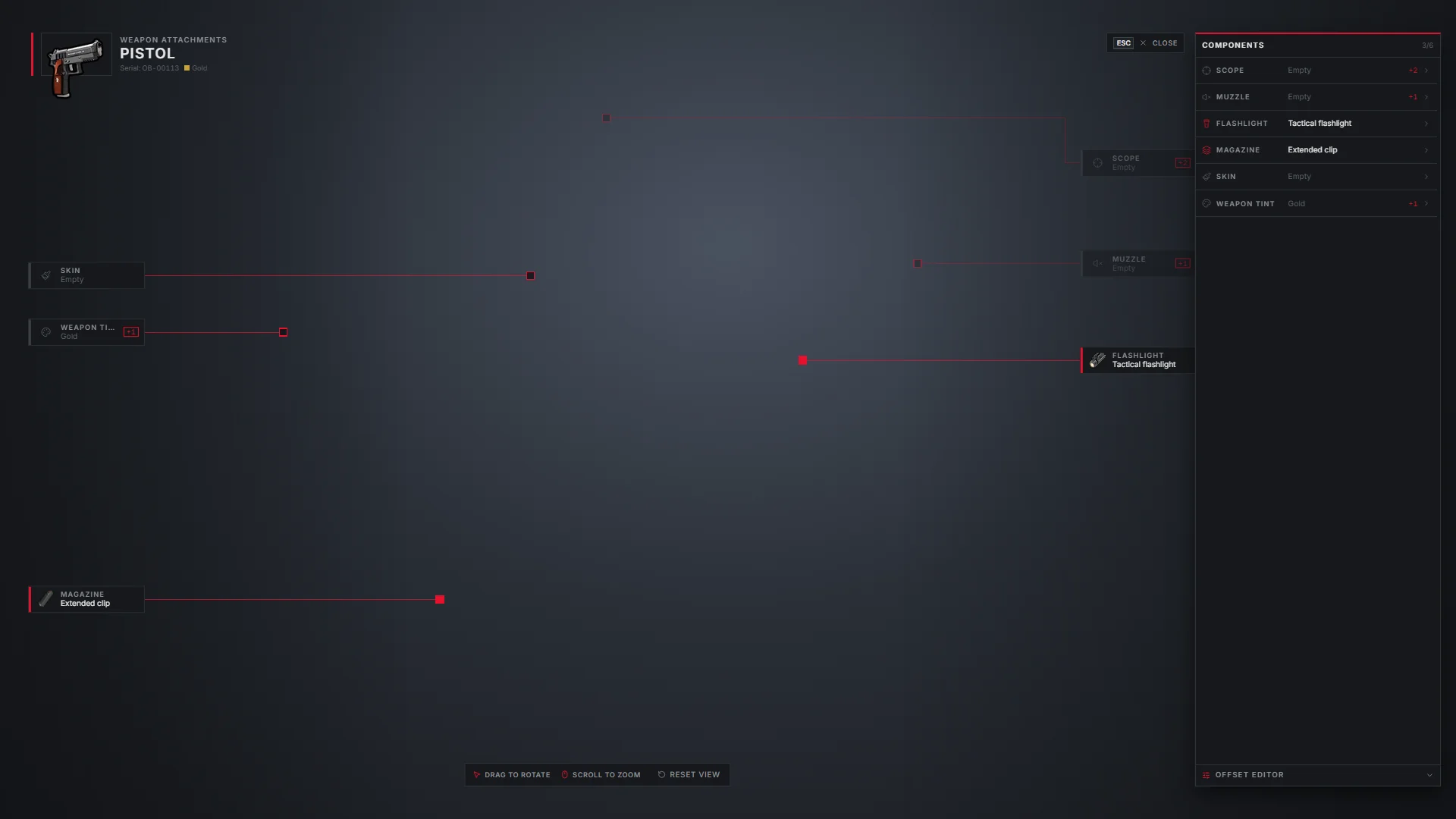
The attachments view shows the weapon in 3D with a line from each component slot to the spot on the weapon where it sits. Attach and detach scopes, muzzles, flashlights, magazines, grips, barrels, skins and tints right there.
Opening it
Right-click a weapon and pick Attachments.
- Drag to rotate the weapon, scroll to zoom, Reset view to start over.
- The COMPONENTS list shows each slot, what is fitted, and how many compatible parts you carry (+2).
- Click a slot to fit or remove a part.
Weapon tints are items (tint_1 to tint_7) and appear in the Weapon tint slot like any other part.
Component slots
| Slot | Bones tried, in order |
|---|---|
| Muzzle | WAPSupp, WAPSupp_2, gun_muzzle |
| Flashlight | WAPFlshLasr, WAPFlshLasr_2, WAPFlsh |
| Scope | WAPScop, WAPScop_2, WAPScop_3 |
| Magazine | WAPClip, WAPClip_2 |
| Grip | WAPGrip, WAPGrip_2, WAPGrip_3 |
| Barrel | WAPBarrel |
| Skin, tint | Placed on the weapon body |
When a weapon has none of those bones, the anchor falls back to a fixed point of the weapon's bounding box (attachments.fallback in data/obsi/interact.lua).
Addon weapons
Addon weapons often have unusual bones. Staff see an OFFSET EDITOR at the bottom of the components list to nudge an anchor into place. Offsets are saved per weapon and component in the database and apply to every player. Players without staff rights do not see the editor, and the server rejects their edits.
Camera settings
Setting in attachments | Default | Meaning |
|---|---|---|
fov | 32.0 | Starting field of view |
minFov / maxFov | 14.0 / 50.0 | Zoom limits |
zoomStep | 2.0 | FOV change per wheel notch |
rotateSpeed / pitchSpeed | 0.35 / 0.25 | Degrees per dragged pixel |
maxPitch | 45.0 | Highest tilt |
smoothing | 0.07 | Seconds of easing for rotation and zoom |