

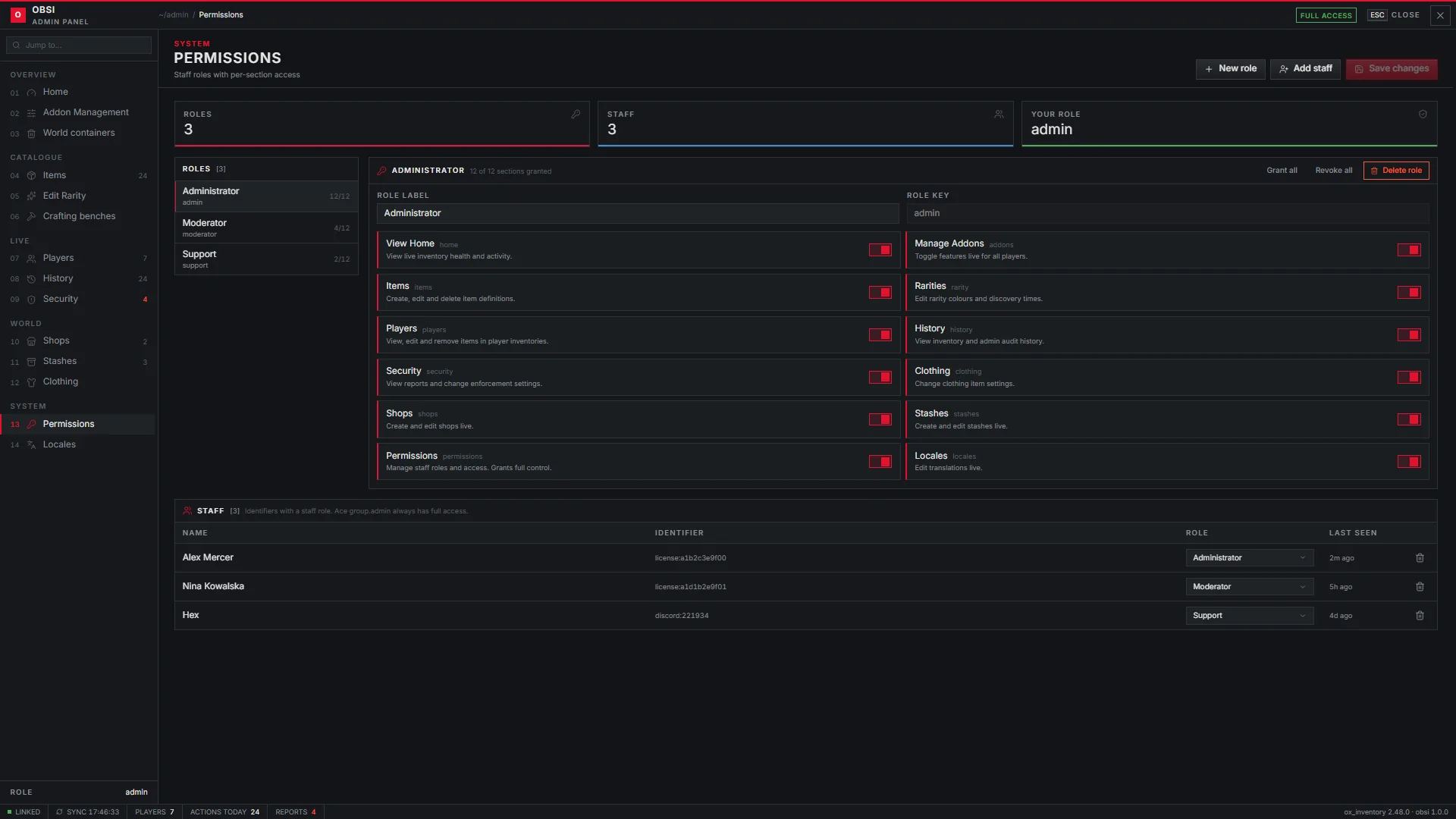
Access to the admin panel is decided by roles. Each role opens a set of pages, and each staff member has one role.
Full access
Players with the group.admin ace (admin.superAce) always see every page, whatever their role.
Grant it in server.cfg:
server.cfg
add_ace group.admin command.invadmin allow
add_principal identifier.license:0123456789abcdef group.admin
Default roles
These roles are created on the first start:
| Role | Pages |
|---|---|
owner | Everything |
admin | Home, Addons, Items, Rarity, Players, History, Security, Clothing, Shops, Stashes, Locales |
moderator | Home, Players, History, Security |
support | Home, History |
Create more roles, or change these, on the Permissions page.
Adding staff
There are two ways, and both can be used at once.
-
On the Permissions page
Press Add staff, enter the identifier and pick a role. The change is saved in the database and applies immediately. -
In data/obsi/staff.lua
List identifiers and their role:Accepted identifiers aredata/obsi/staff.luareturn { ['license:0123456789abcdef'] = 'owner', ['discord:123456789012345678'] = 'moderator', }license:,license2:,discord:,fivem:andsteam:.
Staff added in the panel are merged on top of the file.
Rate limit
Each staff member may send 30 admin requests per 3 seconds (admin.rateLimit).
Anything above that is rejected.