
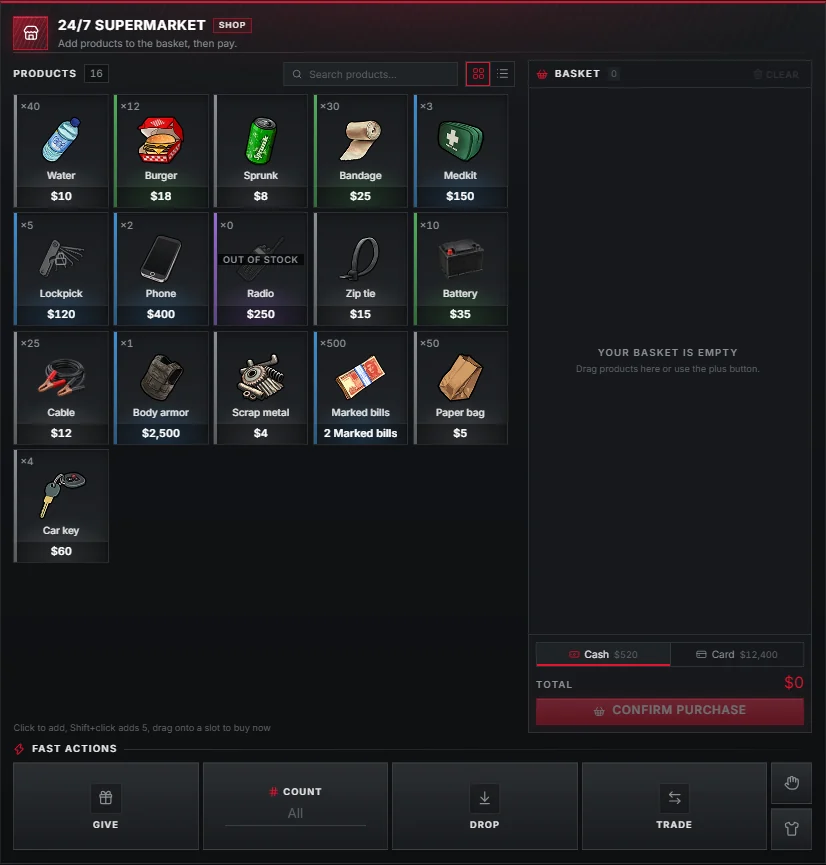
Shops open in the right column with a product grid, a basket and a choice of cash or card. A floating world prompt shows where the shop is, with no target script needed.
Buying
- Click a product to add one to the basket, Shift-click to add five, or drag it straight onto a slot to buy it immediately.
- Switch between the grid and list layout at the top; the choice is remembered per player.
- Pick Cash or Card under the basket and press CONFIRM PURCHASE.
- Products that ran out show OUT OF STOCK.
Cash is the money item.
Card pays from the framework bank account.
Defining a shop
Shops use the upstream data/shops.lua format, with one extra field, paymentMethods:
data/shops.lua
General = {
    name = 'Shop',
    paymentMethods = { 'cash', 'card' },
    blip = { id = 59, colour = 69, scale = 0.8 },
    inventory = {
        { name = 'burger', price = 10 },
        { name = 'water', price = 10 },
    },
    locations = {
        vec3(25.7, -1347.3, 29.49),
    },
},
A shop without paymentMethods accepts both (shop.defaultPayment).
groups, targets, licences and the other upstream fields work as before.
World prompt
Without ox_target, each shop location shows a small card in the world.
Walk up to it and press E.
Setting in shop.interaction (data/obsi/interact.lua) | Default | Meaning |
|---|---|---|
enabled | true | Built-in world prompt |
distance | 2.0 | Metres to use the shop |
drawDistance | 8.0 | Metres the prompt becomes visible |
key / keyLabel | 38 / E | Control index and its label |
The card is drawn in the player's own Obsi colours (shop.dui); a plain text prompt is the fallback.
The Shop world prompt addon switches it off for the whole server.